A browser that blocks ads
Norton Neo’s free, built-in ad blocker stops intrusive ads, trackers, and pop-ups before they load, helping pages load faster, save bandwidth, and deliver a cleaner, more private browsing experience.
Available on Windows, macOS, Linux, iOS, and Android.
- No extension to install.
- No permissions to grant.
- On by default, on every site.
#1 customer-rated consumer cybersecurity brand
Based on Trustpilot rankings as of 8/11/26
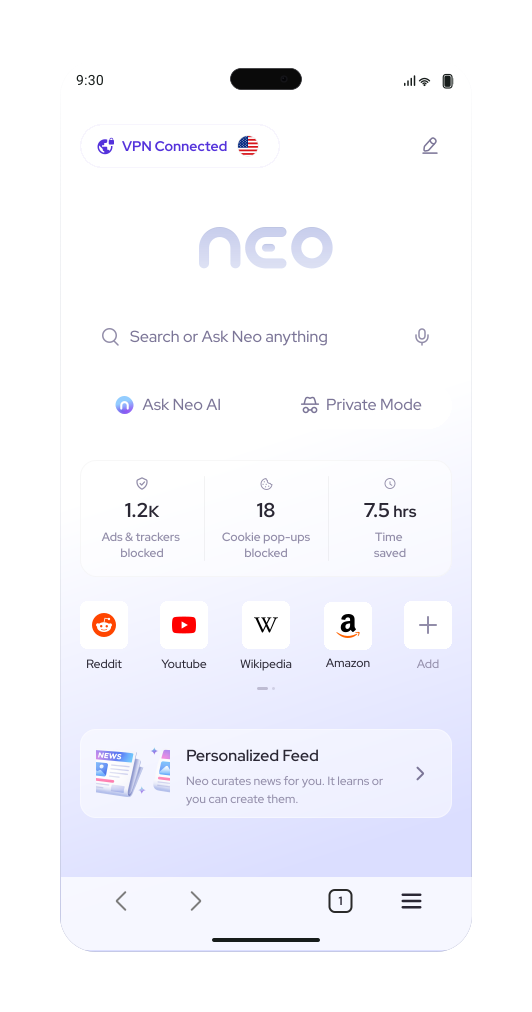
A cleaner, faster, safer web.
Pages load faster.
Blocking ad and tracker requests before they’re sent reduces the bandwidth, memory and processing power each page needs, helping it load faster.
Browse without interruptions.
Banners, pop-ups and autoplay videos stay out of your way.
Skip cookie pop-ups.
Common consent banners are hidden so you can get straight to the page.
Stay safer from scam ads.
Blocking ads reduces your exposure to scams, malware and deceptive offers.
Keep trackers off your trail.
Blocking ad trackers makes it harder to follow you from one site to the next.
Make your device harder to recognise.
Beyond ad blocking, fingerprinting protection disguises details sites use to identify you.
The same page, different experience.
On YouTube and other video sites
Press Play. That’s it.
Neo blocks many video ads before they load, from countdowns before a video to interruptions halfway through and banners over the player.
Videos start sooner
Spend less time waiting for the content you came to watch.
Fewer interruptions
Keep watching without ads cutting in halfway through.
A clearer picture
Keep banners and pop-ups from covering the video.
Protected from the start. Under your control.
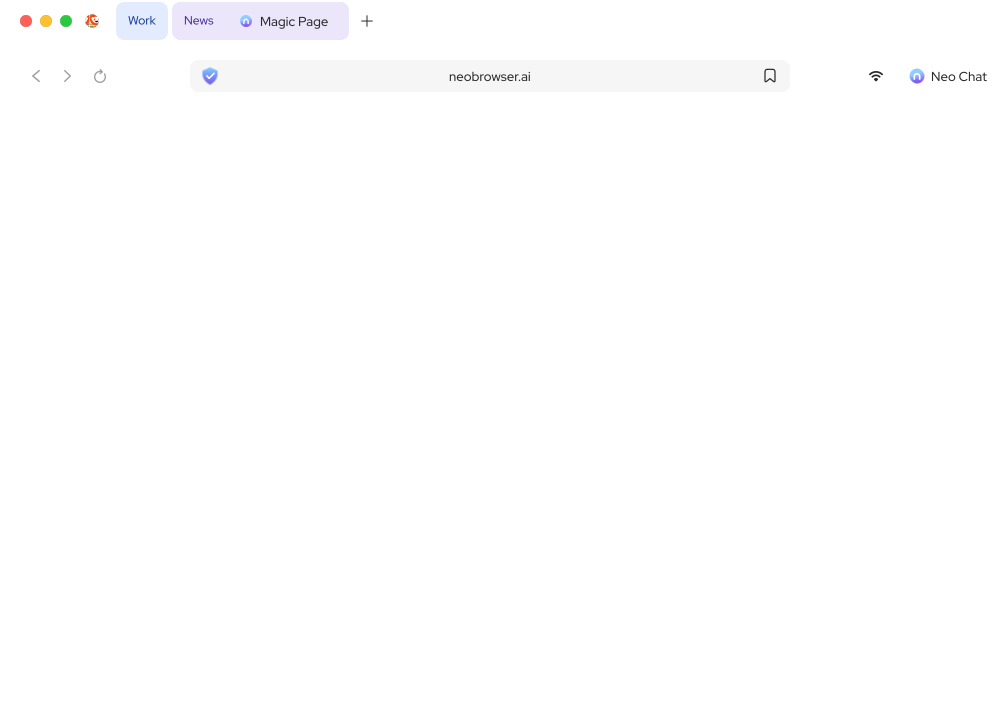
Protection is active from your first launch. Use the shield in the address bar to adjust it for one site or every site.
Make an exception
Turn blocking off for one site while keeping it active everywhere else.
Set your global rules
Choose your settings once and apply them across every site.
Pick your blocking lists
Start with Neo’s recommended lists, then add or remove any you choose.
37 ads & trackers blocked
Fingerprinting attempt blocked
Your browser is a choice
Most of us picked one once and never thought about it again. It is where you shop, bank, and type your passwords. Worth a second look.
Free to download · No account required · Ad blocking on by default
Ad blocking, explained.
Everything below assumes you have never used an ad blocker before.
What is an ad blocker?
An ad blocker stops ads from loading while you browse. Banners, video ads, and pop-ups never appear on the page. Most ads also carry code that records what you read and click, and an ad blocker usually stops that too. So you get fewer interruptions, less to download, and less of your activity recorded. Most ad blockers are extensions you install yourself. In Norton Neo, it is part of the browser.
Why is a built-in ad blocker better than an extension?
Three reasons: permissions, limits and speed. An extension has to be granted permission to read and change every page you visit, which is the broadest access a browser can hand out, and you are handing it to whoever maintains the extension; blocking that comes with the browser asks for nothing, because there is no third party in the middle. An extension can also only do what the extension platform allows it to do, and that platform has changed: Chrome finished removing Manifest V2 extensions on August 31, 2026, and Manifest V3 caps how many filter rules a blocker can carry and requires them to be registered with the browser in advance rather than decided request by request. Blocking built into the browser is not held to that budget, and there is no extension to be deprecated the next time the platform moves. It is lighter, too: the filtering happens in the browser’s own networking, so the request for an ad is never made, and there is no second piece of software loading at startup and sitting in the path of every page you open.
Do ad blockers make browsing faster?
Often, yes. Ads are frequently the heaviest part of a page, so blocking them means fewer files to load. How much faster depends on the site. A news page packed with ads will change more than a plain text page.
Does it block ads on YouTube and other video sites?
Many of them, and it depends on how the site serves them. An ad that arrives as its own request can be stopped like any other: that covers most of the countdowns before a video, the breaks partway through and the banners over the player. An ad stitched into the same stream as the video cannot be separated from it by any blocker, in any browser. Video sites also change their delivery regularly, so what gets through changes with it.
What are trackers, and does ad blocking stop them?
A tracker is code on a page whose job is to report what you did there: what you opened, what you clicked, how long you stayed. One site knowing that is one thing. The point of trackers is that the same few companies have them on thousands of sites, so your visits get joined up into a profile that follows you from a news story to a shop to a forum, and what you looked at in one place decides what you are shown in another. Neo blocks them along with the ads, because most of them arrive with the ads, and it also hides the details sites use to recognise your device when a tracker tries to identify you some other way. Day to day it means no profile being built as you browse, and no site knowing where you were before it.
Does it get rid of cookie consent pop-ups?
Every site has to ask, so every site interrupts you: a panel over the thing you came to read, an easy Accept All and a harder everything else, on the same sites you visit every day. Neo hides them, so you arrive on the page instead of on a notice about it. A site with an unusual banner can still get through, and if you would rather answer them yourself you can switch the hiding off.
Are ad blockers safe to use?
The tool is safe. The question is who made it. An ad blocker extension asks to read every page you visit, which is a lot of access to give away, and some have used it to collect browsing data. That is why Norton Neo builds ad blocking into the browser instead. There is no separate developer to trust.
Does an ad blocker stop malware and scams?
It lowers your risk, but it is not a guarantee. An ad blocker does not inspect each ad to judge who is behind it. It just stops ads from loading. That still helps: an ad you never see is one you cannot mistake for a real warning, or click, or type your card details into. Scams also arrive by email, text, and search, so Norton Neo pairs ad blocking with Safe Browsing and phishing protection.
Is it legal to block ads?
Yes. What your browser loads is your choice. Some sites will ask you to allow ads or subscribe, since ads are how they are paid for. You can turn ad blocking off for any site you want to support.
How do I turn off ad blocking for one website?
Open the shield icon in the address bar while you are on that site, then switch ad blocking off. It stays off for that site only, and every other site keeps its protection. That is useful in two cases: a page that looks broken because it needs the content being blocked, or a site you want to support by allowing its ads.
Do I have to install anything to block ads in Norton Neo?
No. Ad blocking is built in and already on the first time you open Norton Neo. No extension, no account, no settings.